Cut down iPhone Messages QUICKLY with the Screen Unknown Senders Setting | Digital File Decluttering
Is your iPhone full of spam messages or advertisements? Right now as I check my phone I have a message from a car wash business, a local ice cream shop, Papa Johns, and my bank. However, iPhone has a great way to screen these messages and keep them separate from your personal messages: the Screen Unknown Senders setting.
Let's walk through the steps to do this.
First, make sure your phone is updated.
Go to the Messages app on your iPhone.
Tap the three lines at the top right, then tap Manage Filtering.
Turn on Screen Unknown Senders.
If you want to allow notifications from some unknown senders, tap Allow Notifications, then turn on or off those categories. For example, you can allow notifications for time-sensitive texts, like verification codes.
Go back to your Messages and tap the three lines again. You should see a category called "Unknown Senders." Click on that.
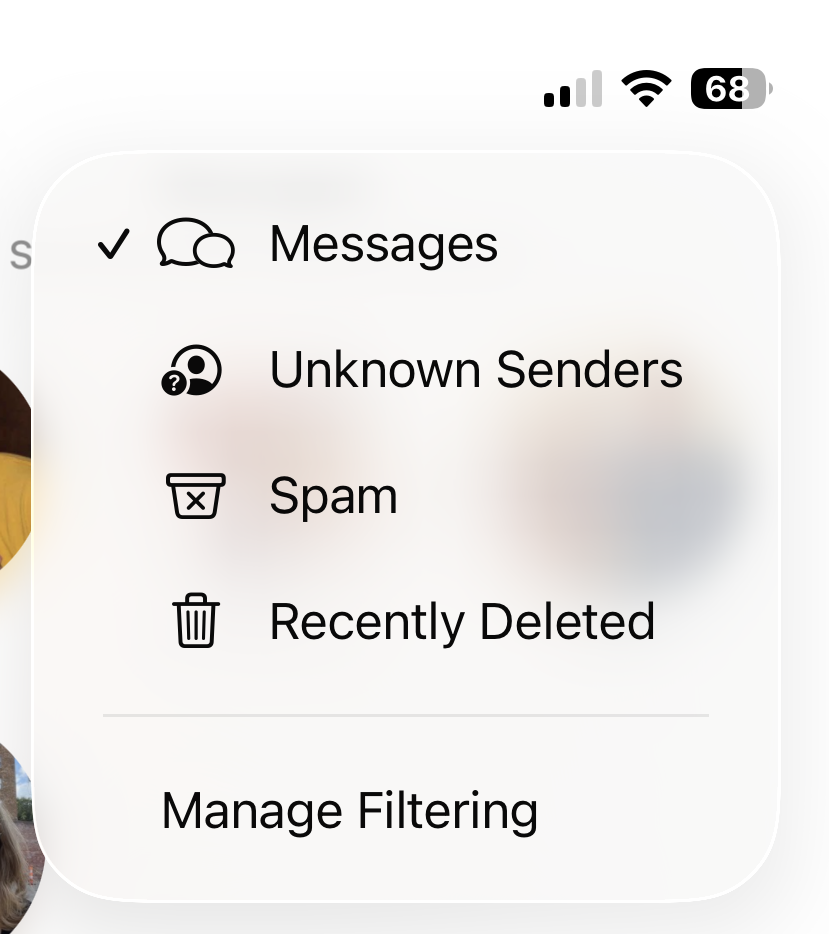
This is what it should look like once you’ve got it filtering your Messages.
Lastly, run through the messages from Unknown Senders, and delete what you wish!
For me, this was a great way to subcategorize all my text messages and weed out which ones I could delete quickly. A quick perusal through your “Spam” category can also clear up your Messages.
Learn more about the Unknown Senders filter on Apple’s website here.
Ready to transform your digital space, including your text messages? If the thought of tackling your files, cloud drives, or photo libraries alone feels overwhelming, contact Tidy for Good today to book a dedicated Digital Organizing Session. Together, we can clear the digital noise and make room for what truly matters.
Kim Shiu is a professional organizer and Kansas’s only Certified KonMari™ Consultant. Through her business, Tidy for Good, she helps busy people in the Kansas City area transition from overwhelmed to organized. Trained directly in the world-renowned methods of Marie Kondo, Kim provides the expert structure needed to create a home (or a digital space!) that truly "sparks joy." You can work with Kim by getting in touch here.